Most AI image work is not just about generating a photo. It is changing one element in a photo you already have, swapping the background to a new location, modifying the lighting from existing assets, replacing a product placed in hand or simply upscaling a poor quality archival photograph.
That is where ComfyUI image editing earns its place in a production studio, because it can change one element while holding everything else still.
This post shows what our studio does with it. Xavier, our founder and creative director, has more than 20 years of advertising experience in motion and 3D, and he brings the same eye to every edit: faces that stay on-model, products that stay true to the pack, and light that matches the brief. All of it runs as private AI image editing on our own hardware, so client images never leave the studio. If you missed them, our earlier posts cover AI image generation in ComfyUI and turning images into video. Click any image below to see it full size.
One Model, Any Location: Combining Reference Images
Here we give the edit two references: a studio shot of the model and a separate photograph of a meadow. The instruction is simple, to place her in the scene and keep her face, hair and clothing identical. The result keeps the knit, the belt, the denim and the trainers exactly as shot, and grounds her in the grass with light that matches the location.
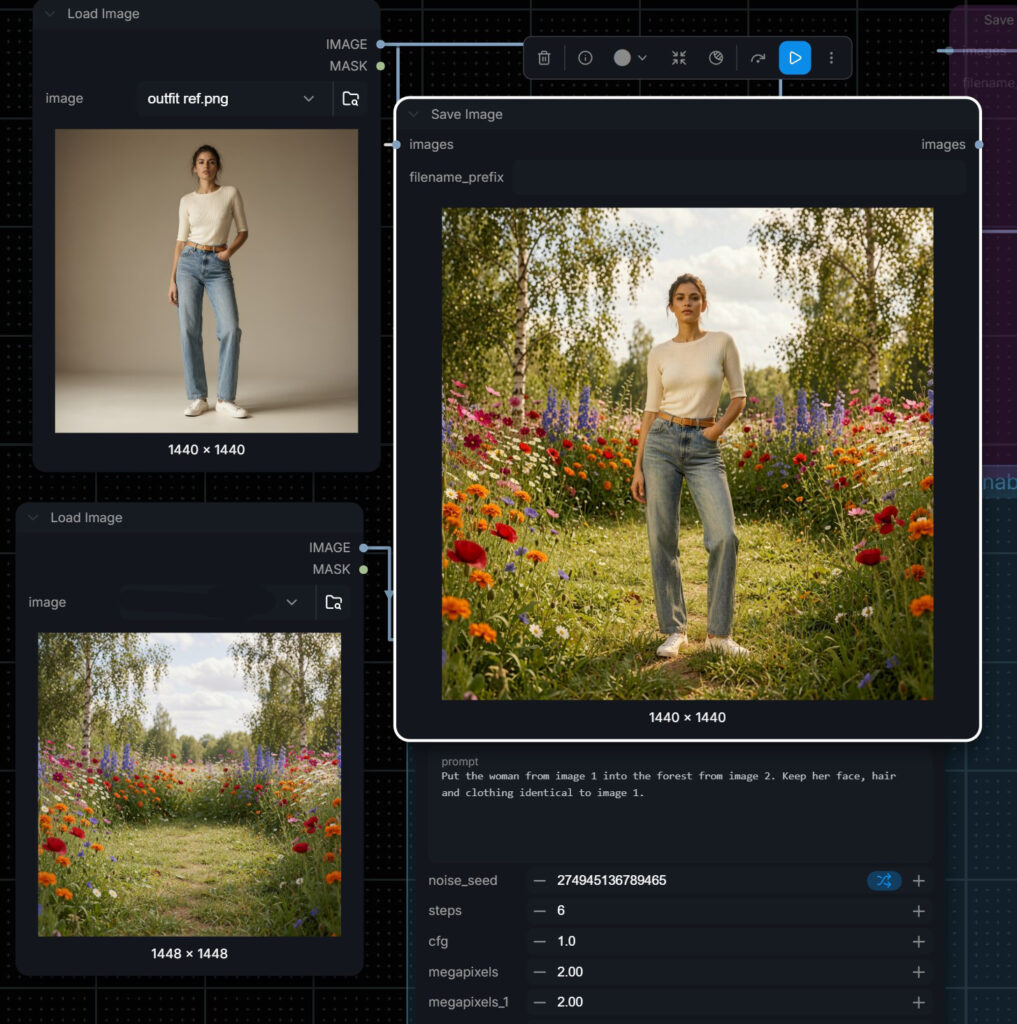
For an e-commerce team this changes the math of a shoot. One clean studio session can become a spring campaign, a travel edit and a lifestyle banner, all with the same talent and the same SKU, without booking a location or a second shoot day.
Relighting a Scene
Light sells mood more than anything else in a frame. Starting from the same two references, we added soft morning mist and warm sunrise light. The garment, the face and the pose are unchanged, but the picture now reads as golden hour rather than midday.
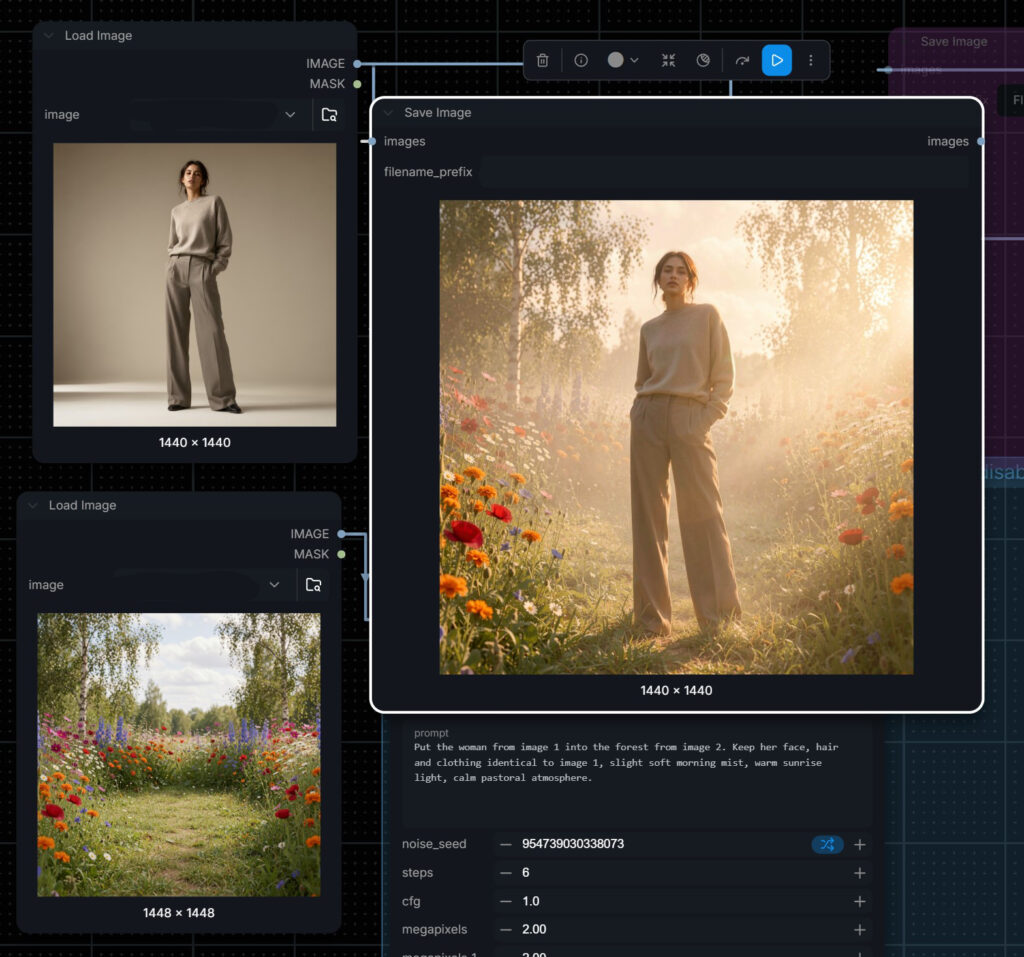
Relighting lets a brand match imagery to a season, a time of day or an existing campaign grade, and keep a whole product range consistent even when the source photos were shot on different days.
Blending a Subject Into an Existing Photograph
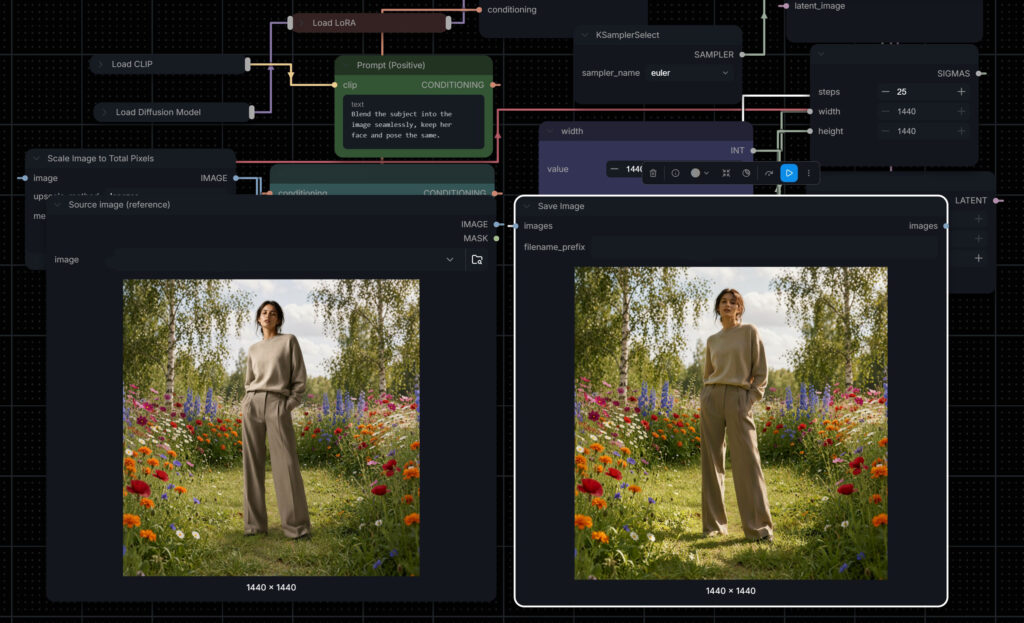
Sometimes the location is fixed: a real venue, a hotel lawn, a client’s own site photography. In this case the task is to blend the subject into the existing photograph seamlessly while keeping her face and pose the same. The skill is in the edges, the perspective and the colour of the light falling on her, so the composite reads as one photograph rather than a cut-out.
New Pose, With the Product in Hand
This is the edit e-commerce teams ask about most. From an approved outfit reference and a plain packshot of a skincare tube, we generated a new pose: the same model, now smiling and holding the product up to camera. The outfit carries over, and the pack keeps its colour, shape and label.
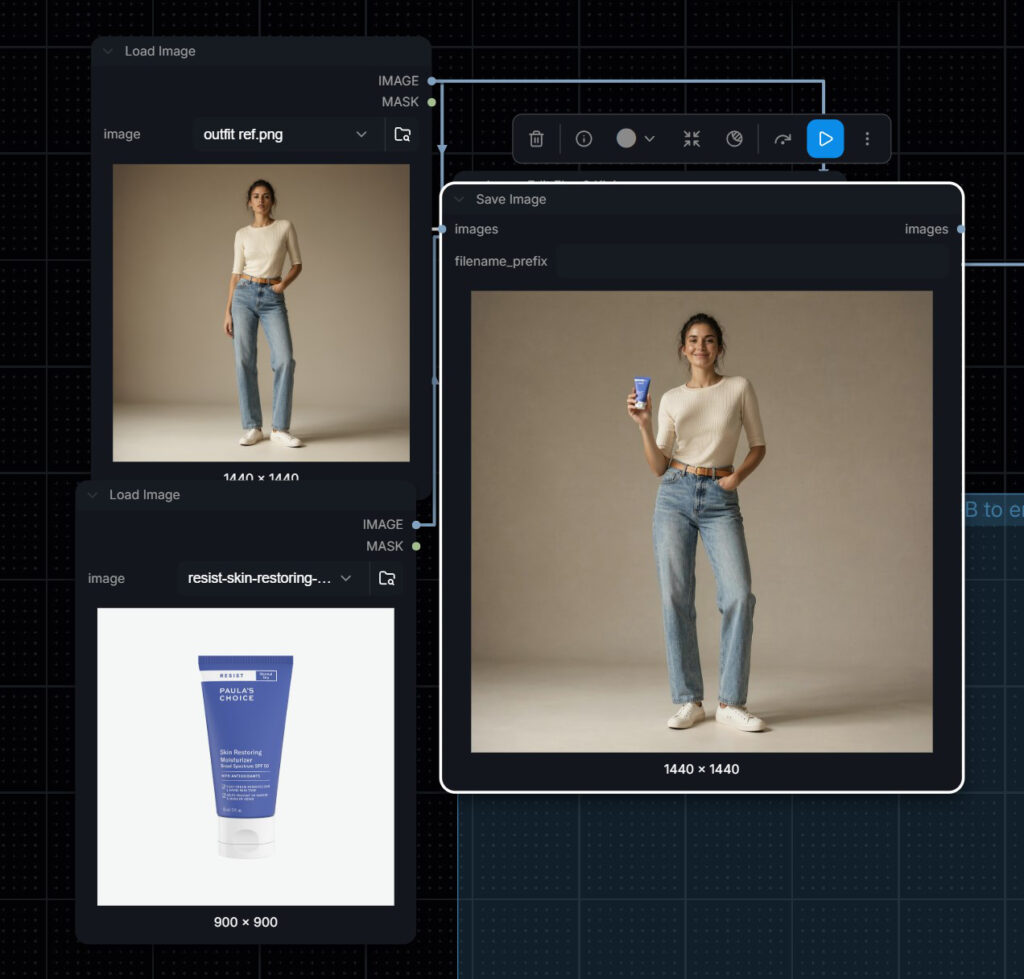
For SKU photography it means one approved model can front every product in a range without a shoot per item, and a hero image can be re-posed for different placements. Before anything is delivered we check the pack against the real product for label accuracy, colour and proportion, because that is what a brand manager will check first.
Restoring and Upscaling Archive Photographs
Corporate histories, anniversary books, heritage exhibitions and documentary films all depend on old photographs that were never meant to be seen at today’s sizes. Restoration and upscaling rebuilds them. Below, an archive construction site photograph goes from 1051 pixels wide to 2368, a vintage bus from 634 to 2016 with its colour and paintwork brought back, and a 1970s black and white street scene from 750 to 2160, keeping its original tone.
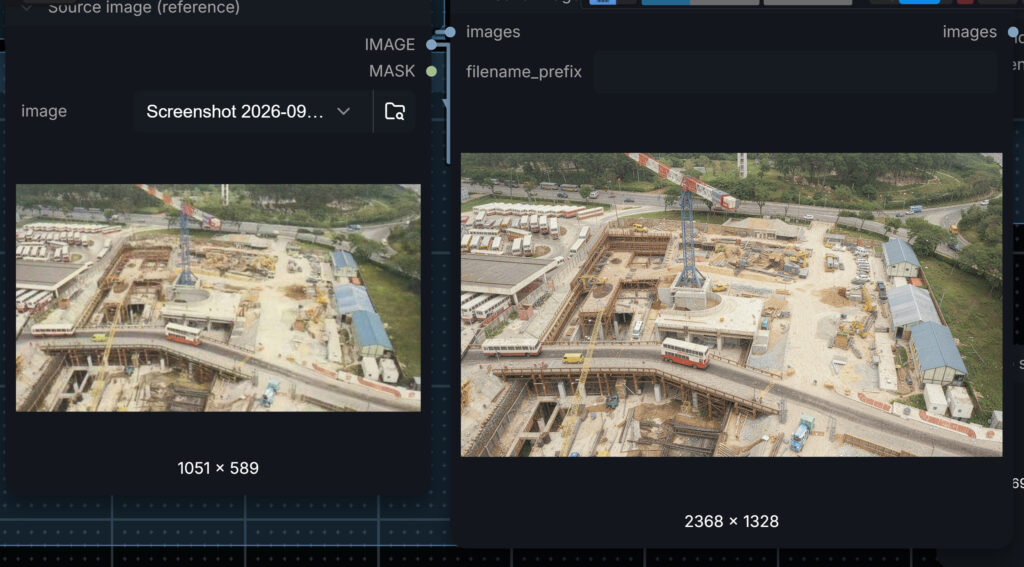
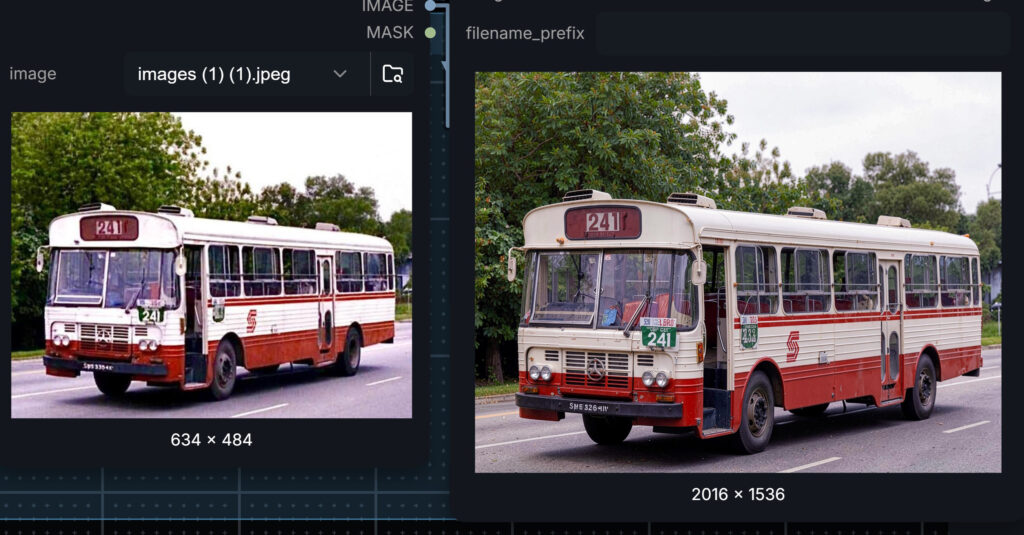
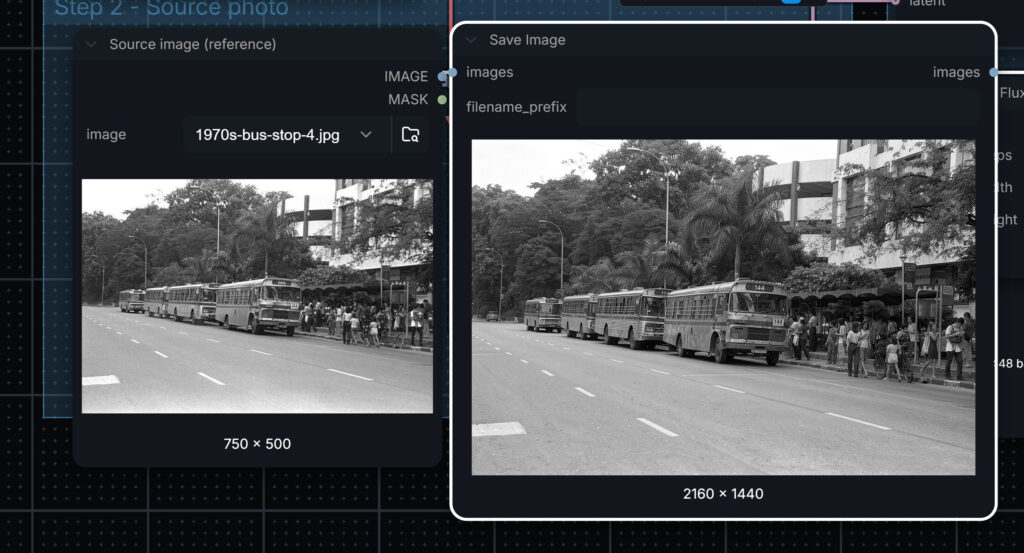
There is one thing every client should know about this kind of restoration: it rebuilds detail, and sometimes it invents it. Usually we check plates, signage, text and logos against the source and correct them, because historical accuracy matters more than sharpness. Our History of SMRT film is the kind of project where that care shows.
Because the process is saved as a workflow, it also scales. A collection of hundreds or thousands of images can go through the same settings in one batch, so every photograph in an archive comes out with a consistent look.
LoRA Styles: One Photograph, Many Looks
A LoRA is a small trained add-on that teaches a model a specific look: an illustration style, a character, a product. Applied to an edit, it can turn a photograph into a consistent illustrated version while keeping the person’s face and likeness. For a brand, a LoRA trained on its own house style or mascot means every image in a campaign comes out looking like it belongs to the same family. These are some of the styles we use.
Anime
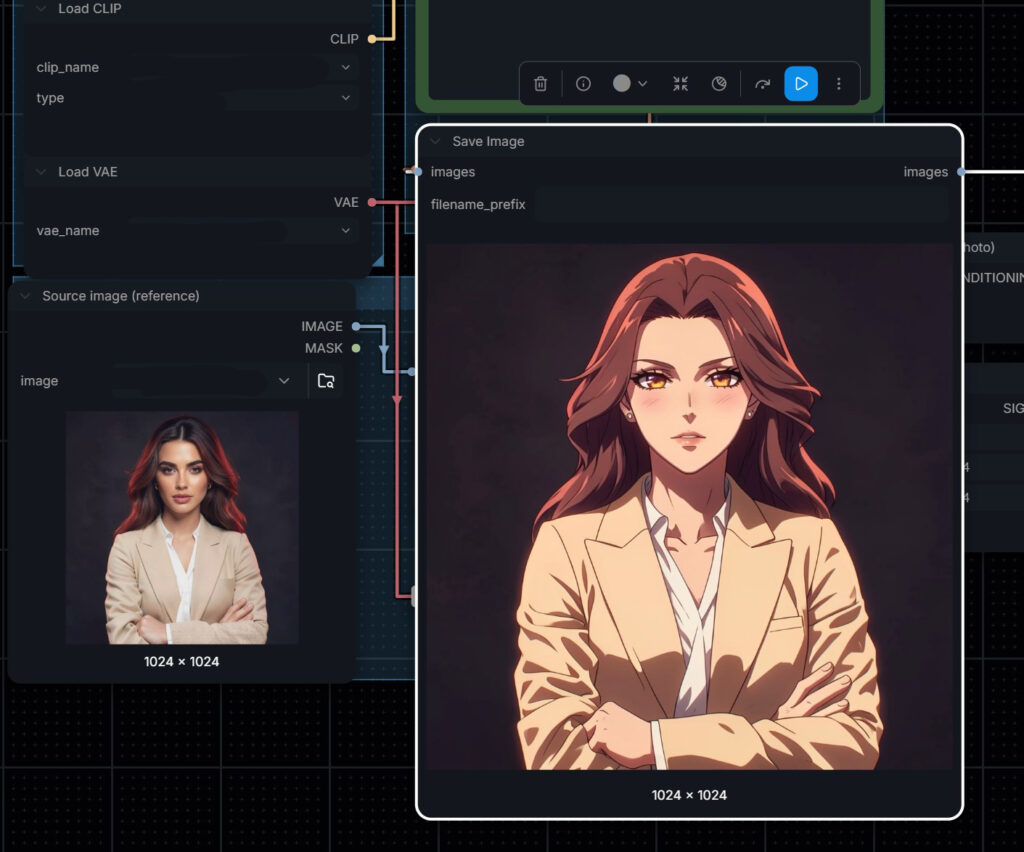
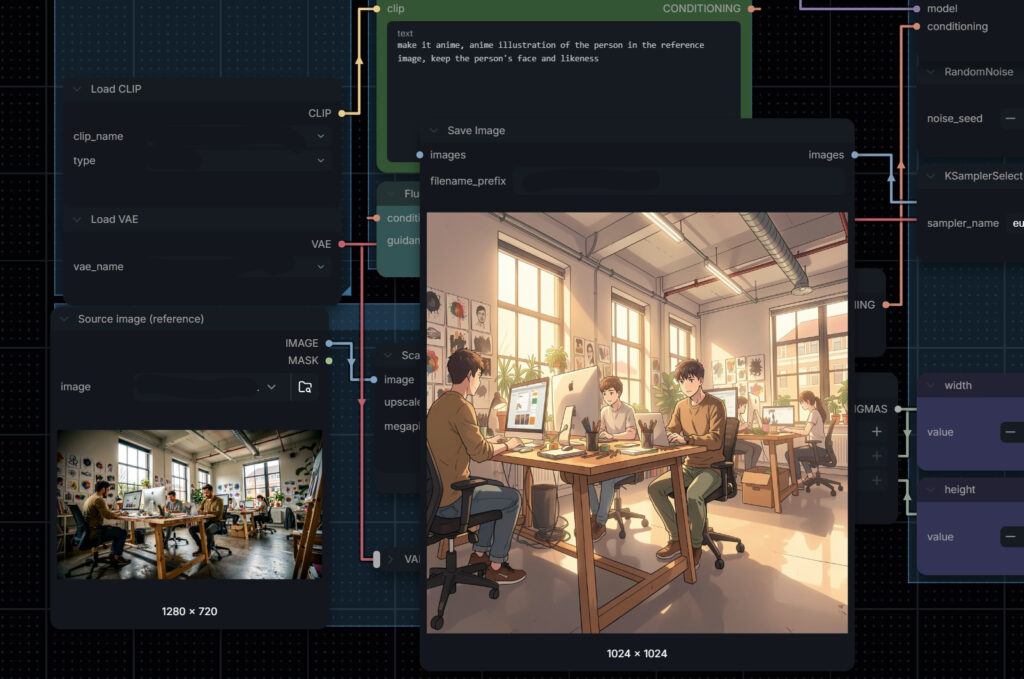
Useful for youth campaigns, gaming and social content, and for explainer characters based on real staff.
Outlined and comic illustration
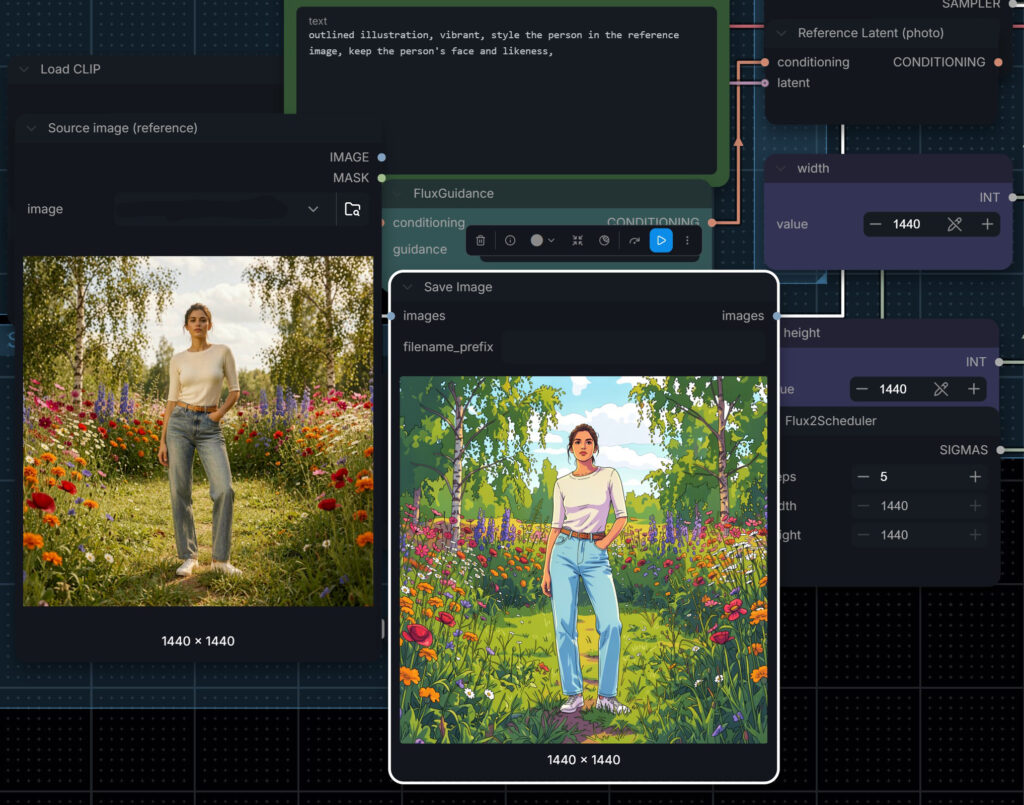
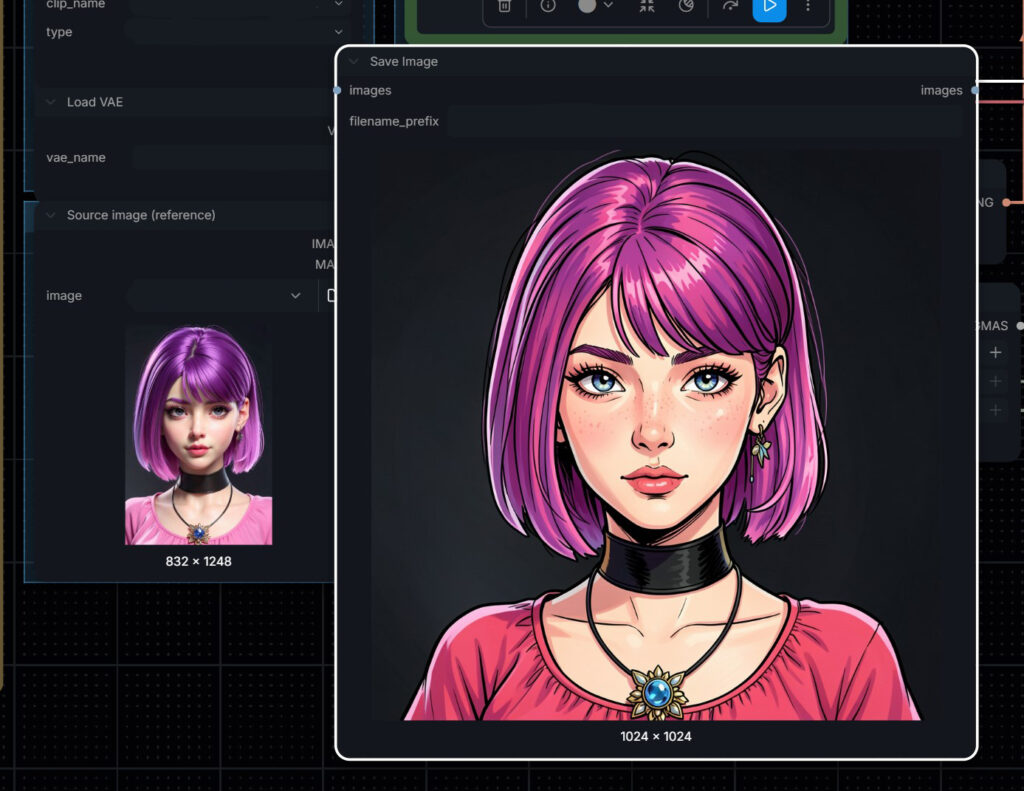
Flat editorial illustration
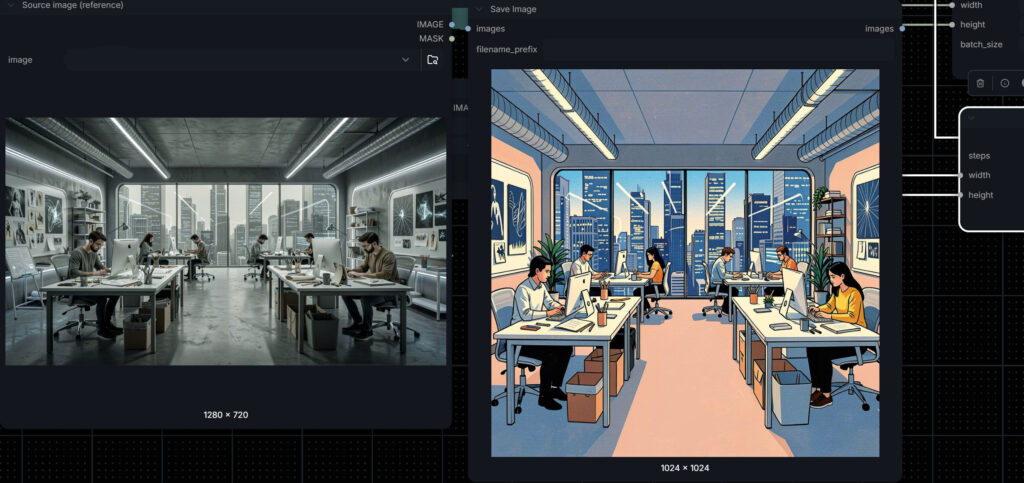
Flat editorial styles suit annual reports, internal communications and 2D animation, where a photograph needs to sit alongside illustrated graphics.
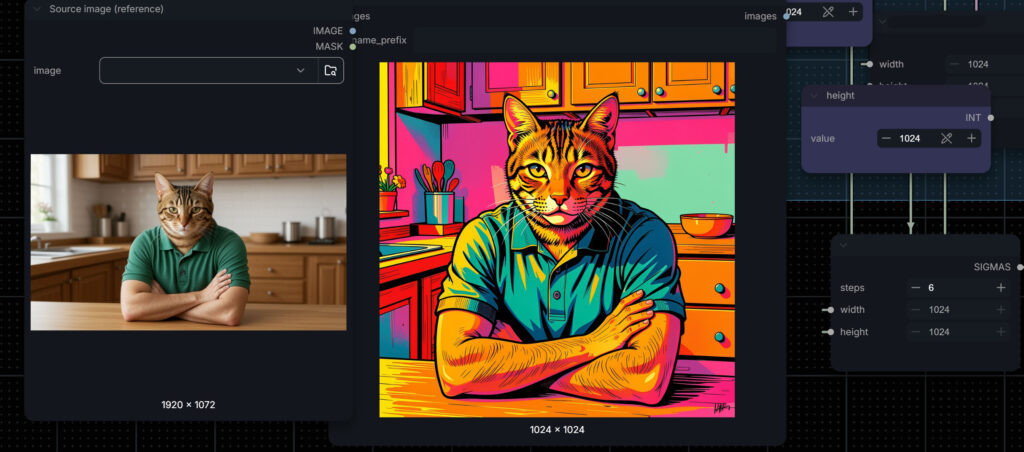
Pop art
Pencil storyboard
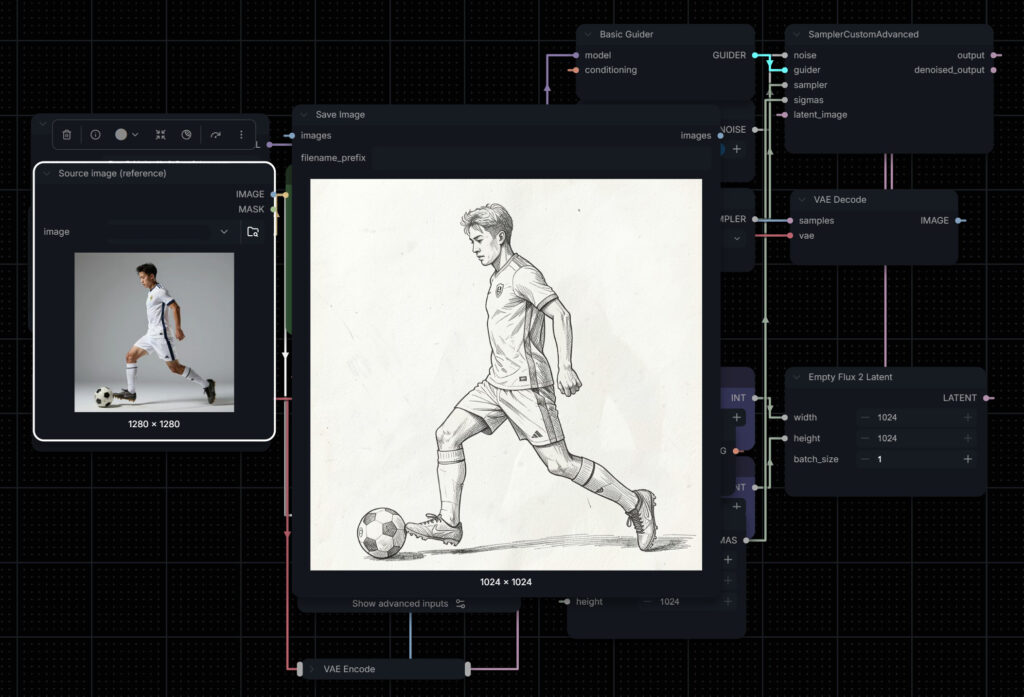
We use this one inside our own production process. Reference photographs of a planned shot become storyboard frames in minutes, which means clients can approve a sequence before a shoot or an animation begins.
Stylised 3D character
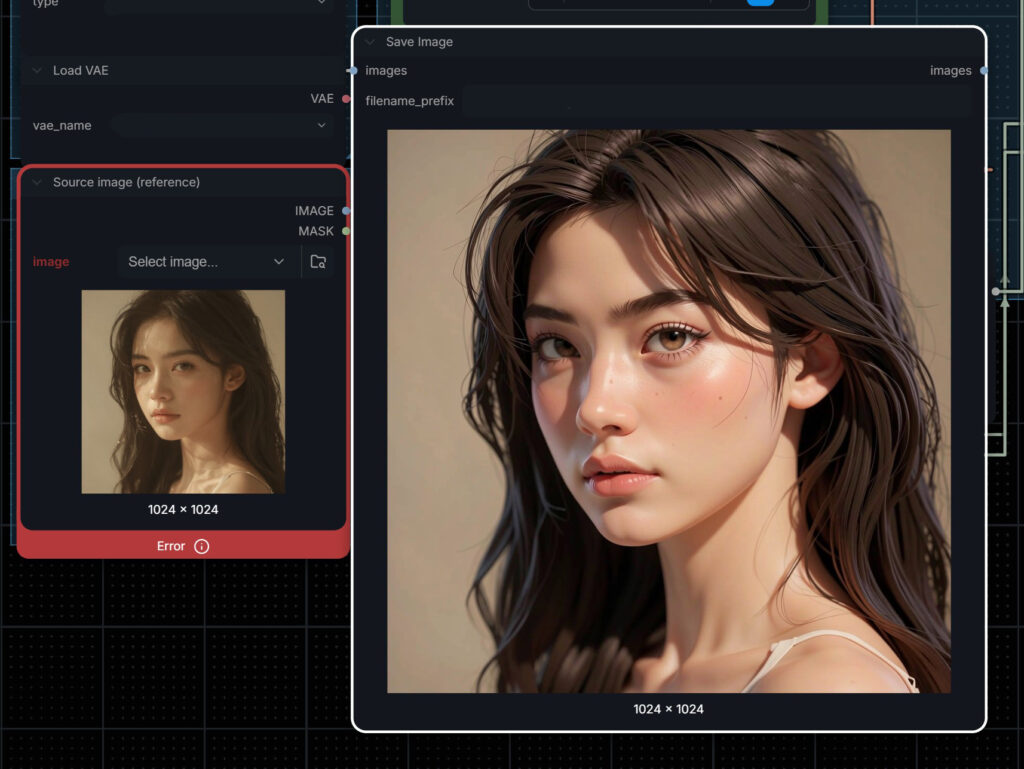
A quick way to explore how a real person or a brand ambassador might look as a character before a full 3D animation build.
Body type for size ranges
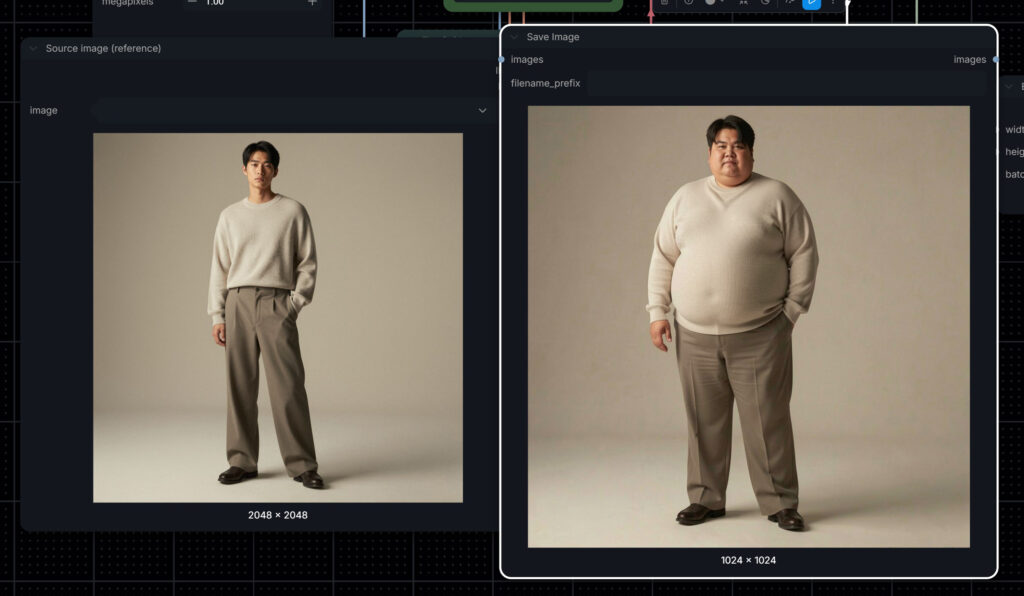
The same outfit, backdrop and lighting with a different body type. For fashion retailers this shows a garment across a size range from one approved image, which supports more inclusive product pages without a separate shoot for every size.
ComfyUI Consulting for Enterprise Teams
Some organisations want the capability in-house rather than as a service. We also offer ComfyUI consulting: building custom workflows around a team’s own products and brand rules, setting them up on hardware we build, or client’s current hardware, and training designers to run them. The workflows are saved files, so the same result can be produced by anyone on the team, months later, with no drift in the look.
Whether we run the work or your team does, the principle is the same. Private AI image editing keeps unreleased products, campaign assets and talent likeness off third-party servers, which is what legal and brand teams in finance, healthcare and retail usually require.
Why Brands Use a Studio for This
The tools are open to anyone. What a studio adds is judgement: knowing which edit will hold up at print size, which face has drifted off-model, when a product label has been subtly rewritten, and when an archive photograph has gained a detail it never had. Every image we deliver goes through the same art direction, retouching and colour pass as the rest of our work, and every person shown in client imagery has cleared consent and likeness rights.
Attention is the hardest thing to earn. CRITICA helps brands earn it through motion graphics, video, and experience design that people actually stop to watch. Singapore-based, working across Finance, Healthcare, Technology, Hospitality, Tourism, Oil & Gas, and Renewables. Get in touch and let’s figure out what makes sense for your business.

FAQ
What is ComfyUI image editing?
ComfyUI image editing uses open AI models inside ComfyUI, a node-based app, to change specific parts of an existing image, such as location, lighting, pose or style, while keeping the rest of the picture, including faces and products, the same.
Can AI change a model's pose and keep the product accurate?
Yes. From an outfit reference and a product packshot, ComfyUI image editing can create a new pose with the product in hand. CRITICA checks every pack against the real product for label accuracy, colour and proportion before delivery.
Can you relight or change the background of an existing photo?
Yes. We place subjects into new locations, blend them into existing photographs and relight scenes to match a season, time of day or campaign grade, while keeping the face, clothing and pose unchanged.
Can you restore and upscale old photographs in bulk?
Yes. Restoration workflows are saved and can process large archives in one batch with a consistent look. Because AI restoration can invent detail, we check plates, signage, text and logos against the original for heritage and corporate history work.
What is a LoRA and why would a brand use one?
A LoRA is a small trained add-on that teaches an AI model a specific style, character or product. A LoRA trained on a brand's house style or mascot keeps every image in a campaign visually consistent.
Does CRITICA offer ComfyUI consulting?
Yes. CRITICA builds custom ComfyUI workflows around a company's products and brand rules, sets them up on the client's own private hardware in Singapore and the region, and trains in-house teams to run them.
Are client images kept private?
Yes. All of our ComfyUI image editing runs on our own hardware, so unreleased products, campaign assets and talent images are never uploaded to third-party AI services.